How do I thoroughly test an FTTH access—from the fiber-optic cable to the Internet?
An FTTH access can be technically flawless and still not work properly for the customer. For example, a good PON level does not necessarily mean that the ONT will register correctly, that an IP connection will be established, or that the subscribed data rate will actually be achieved.
A comprehensive test should therefore examine the entire connection chain—from the fiber-optic cable through the PON and ONT to the IP connection, the subscribed services, and the customer’s Wi-Fi.
This allows you to determine not only whether the access is working, but also at what level a malfunction is occurring.
How do I test the fiber optic cable and the PON optical level?
The test begins at the physical level. First, the fiber end faces and connectors are inspected and cleaned as needed. Contamination or damage can cause additional attenuation and reflections.
Next, the relevant optical levels of the GPON or XGS-PON access are measured. When PON technologies are operated in parallel, the different wavelengths can be measured and evaluated separately using a selective or filtered power meter.
The PON ID can also be used to verify whether the intended PON branch is actually being measured.
How can I measure GPON and XGS-PON simultaneously on a single fiber?
What should I do if the PON level is abnormal?
If the optical level is too low or the measurement reveals another anomaly, the cause must be pinpointed along the fiber-optic link.
An OFL (Optical Fault Locator) or OTDR (Optical Time Domain Reflectometer) can be used for this purpose. Reflectometric measurement methods can detect events on the fiber and determine their distance from the measuring device. This allows the search to be narrowed down, for example, to a connector, a splice, a bend, or another conspicuous point on the fiber.
How do I find out where a fault is located on an active PON?
How do I verify the ONT registration?
If the optical link appears normal, the next step is to test the PON connection. This involves verifying that the ONT is properly registered with the OLT.
An ONT simulation can help with troubleshooting by allowing the tester to act as an ONT. This makes it possible to verify the registration process independently of the customer's existing ONT and further narrow down the cause of a malfunction.
For example, this allows us to determine whether the problem lies with the customer's ONT or its configuration, or on the network side.
How do I test a GPON or XGS-PON connection if the ONT isn't registering?
How do I check the IP connection?
A successful ONT registration does not automatically mean that you have a working Internet connection.
After registration, the system therefore checks whether an IP connection can be established. Tools such as ping, traceroute, or other IP tests can be used here to verify the connection at the IP level.
Only once this layer is functioning properly can the actual performance of the connection be meaningfully tested.
How do I measure the actual speed of an FTTH access?
A performance or speed test can be used to check the actual data throughput achieved over the FTTH access.
Depending on the measuring device and equipment, tools such as Ookla Speedtest, iperf, and HTTP/FTP downloads and uploads can be used for this purpose. This allows you to verify whether the bandwidth available at the access matches the expected data rate.
Especially with high-speed FTTH accesses, it is crucial that both the measuring device and the interface used support the data rate being tested.
How do I test Internet, VoIP, and IPTV services?
In addition to the raw data rate, you can also check which services are actually being used. Depending on the connection and equipment, these may include, for example:
- Internet access
- VoIP
- IPTV
- Up- and downloads
This makes it possible to determine whether the basic IP connection is already disrupted or whether only a specific service is not functioning as expected.
What if the FTTH access is working but the Wi-Fi is slow?
If the connection to the router or access point is working properly but the customer is still not achieving the expected speed over Wi-Fi, the local wireless network must also be included in the diagnosis.
A Wi-Fi analysis, for example, can provide information about the wireless environment, the channels in use, and potential sources of interference.
This makes it possible to determine whether the cause actually lies with the FTTH connection or arises further down the line, beyond the fiber-optic connection, in the customer's local network.
What does a comprehensive FTTH inspection entail?
The entire testing process can thus be summarized as follows:
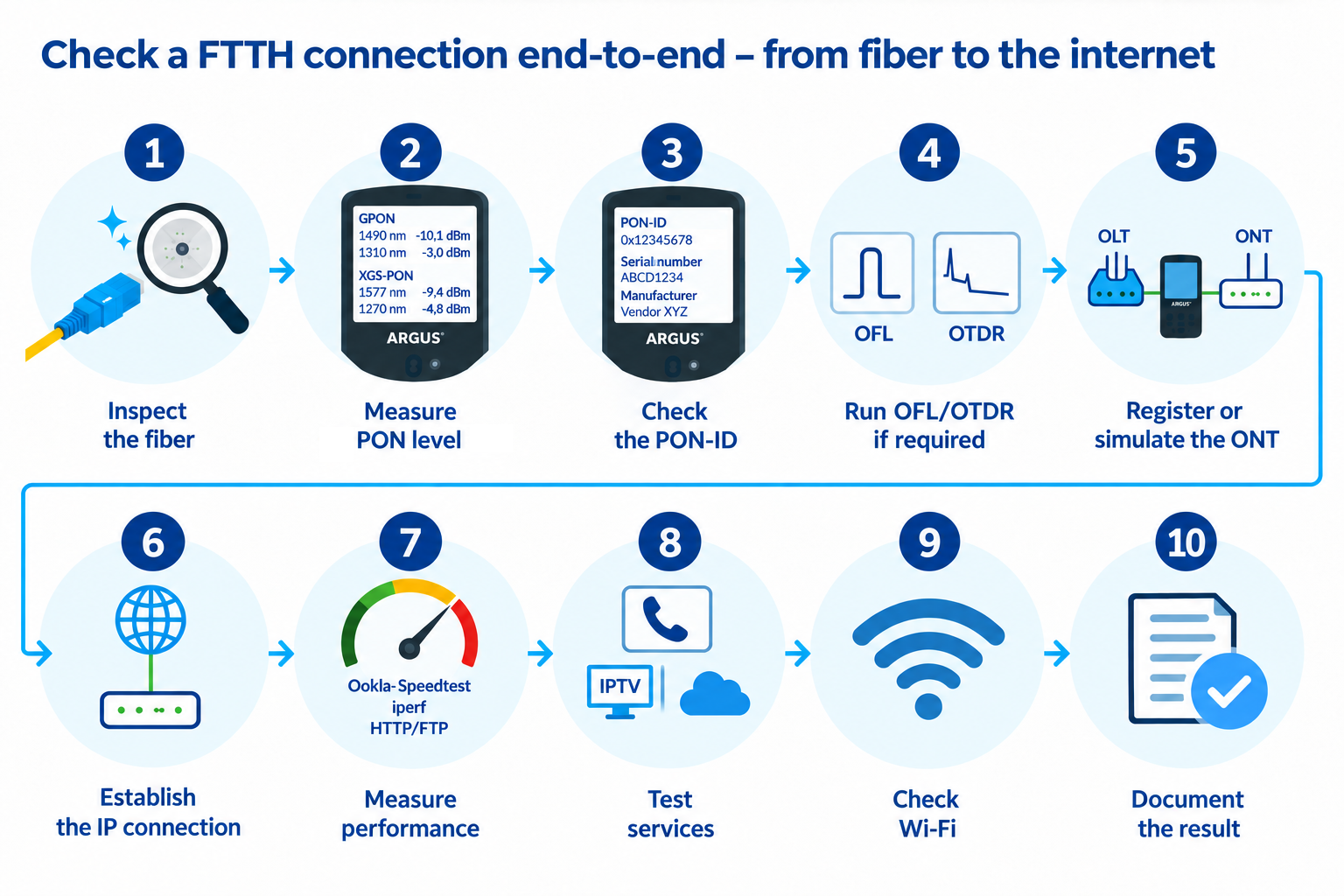
Inspect the fiber → Measure the PON level → Check the PON ID → Use an OFL/OTDR if necessary → Register or simulate the ONT → Establish an IP connection → Measure performance → Test services → Examine the Wi-Fi → Document the results
Which ARGUS testers are suitable for a comprehensive FTTH test?
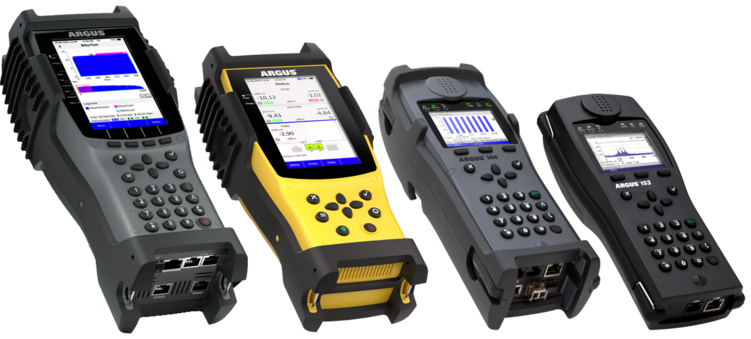
The ARGUS® F Series combines—depending on the model and configuration—various measurement and diagnostic functions for FTTH accesses. These include, among other things, selective PON level measurements, PON ID, OFL or OTDR, ONT simulation, as well as IP, performance, and service tests.
This allows multiple layers of an FTTH access to be examined one after another, enabling the cause of a fault to be systematically narrowed down.
ARGUS F200 | ARGUS F240 | ARGUS F300
The key point of a comprehensive FTTH inspection is therefore not just the question:
“Is the fiber-optic cable in good condition?”
But rather:“Does the connection from the fiber-optic cable to the Internet work—and if not, at what level is the fault?”

on the road

We are at the Breitbandforum Mecklenburg-Vorpommern:
05 November 2026
in Rostock-Warnemünde
Booth S17

Visit us at the Fiberdays27:
17 - 18 February 2027
in Frankfurt am Main

Visit us at ANGA COM:
01 - 03 June 2027
in Cologne